Built-in Player
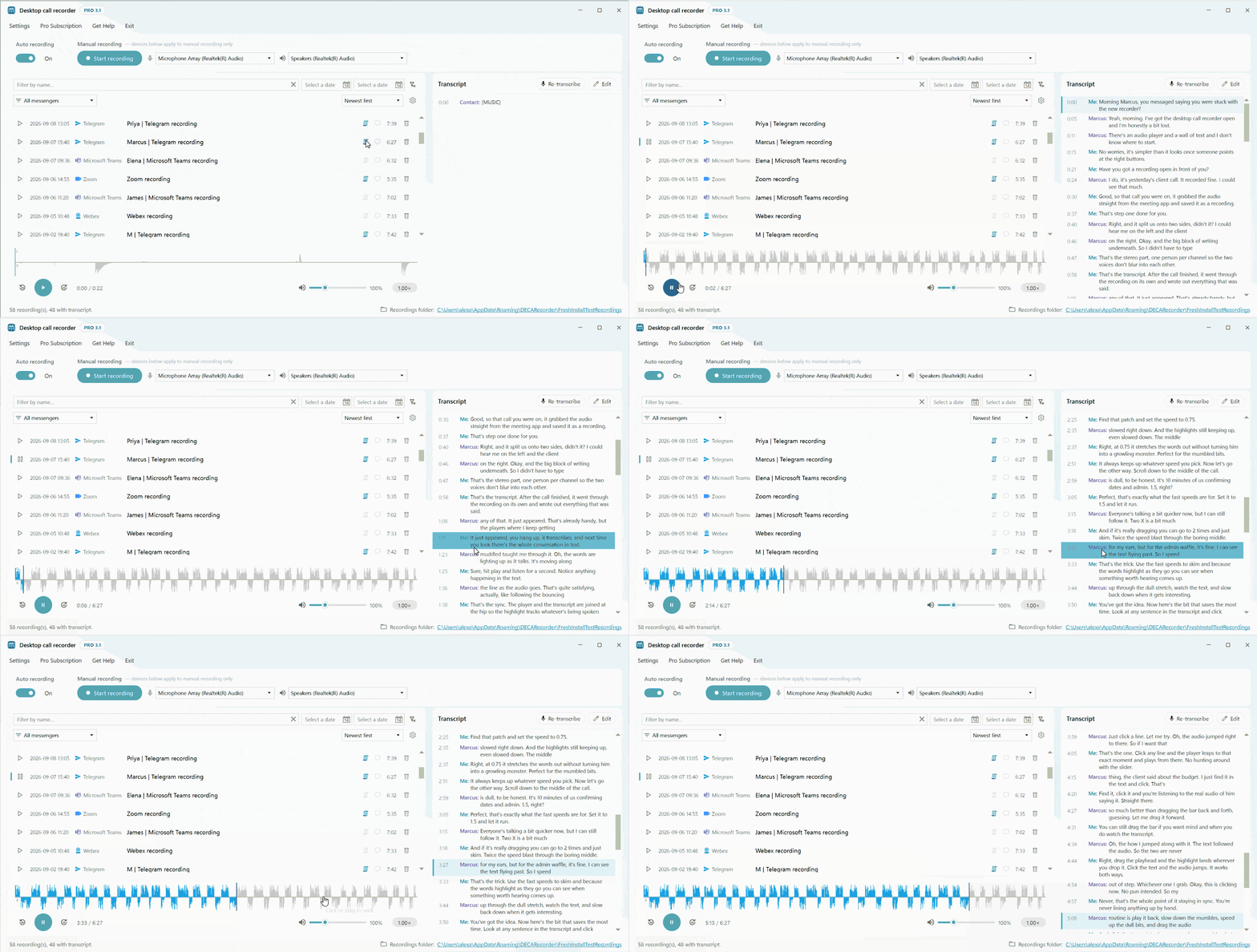
Recordings open in Desktop Call Recorder's built-in player — no external audio app needed. Review calls faster with playback speed control, a volume boost for quiet calls, and a transcript that follows the audio.
Playing a Recording
Open any recording from the list and it plays in the built-in player. The waveform shows the whole call — click or drag anywhere on it to jump to that spot. Use the 30-second back and forward buttons (or the ← and → keys) to skip, with the time readout keeping your place.
Two Channels, One Recording
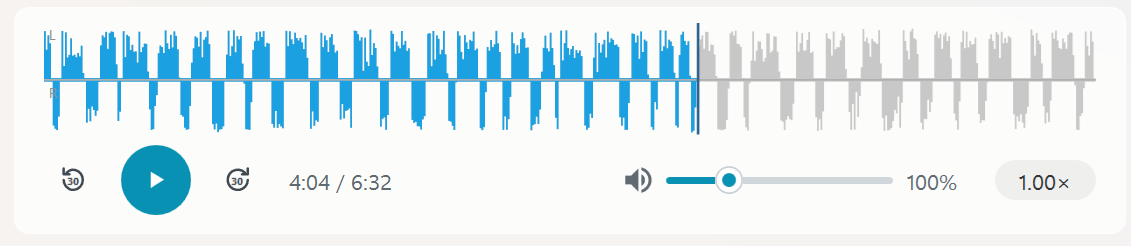
The waveform is split into two labelled halves: the left channel — your own voice (“Me”) — above the centerline, and the right channel — your contact — below it. Every recording keeps the two sides of the call separated this way; it is the same convention used across the whole product, and it is what makes per-speaker transcripts possible.
Speed Control
Playback speed goes from 0.5× to 2.0× in 0.25 steps. The pitch is preserved, so voices stay natural even at double speed. The transcript stays in step at any speed.
Volume
The volume control goes from 0 % to 400 %: 100 % is the original level, and anything above boosts quiet recordings, with soft limiting to prevent distortion. It is a single control for the whole recording.
Synchronized Transcript
If the recording has a transcript, it plays along: the current line is highlighted and scrolls into view as the audio moves, so you always see what is being said — and by whom. It works the other way too: click any transcript line and playback jumps straight to that moment. Reviewing a call becomes reading, not scrubbing.
Finding a Recording
Above the recordings list you can filter by name, by date range, or by messenger — and sort by newest first, name, or messenger. Handy once the calls pile up.
